
Home Guides & Tutorials
Find guides, video tutorials, troubleshooting tips, and support resources for your Aptitude Internet services.
Whether you're setting up the Enable Wi-Fi app, extending your Wi-Fi coverage, managing parental controls, or looking for home phone instructions, you'll find the resources you need below.
ⓘ CommandIQ® Notice
Some screenshots, videos, and vendor resources may display the CommandIQ® name. CommandIQ and Enable Wi-Fi refer to the same app and features available to Aptitude Internet customers.
Jump to a Topic

Enable Wi-Fi App
Learn how to set up the app, manage devices, update network settings, run speed tests, and access available Wi-Fi features.



Family Controls & Security
Learn how to manage parental controls, content filtering, screen time limits, device priorities, and network security settings.
Guide Section:
Experience IQ & Protect IQ
Pages 6 and 8 >>
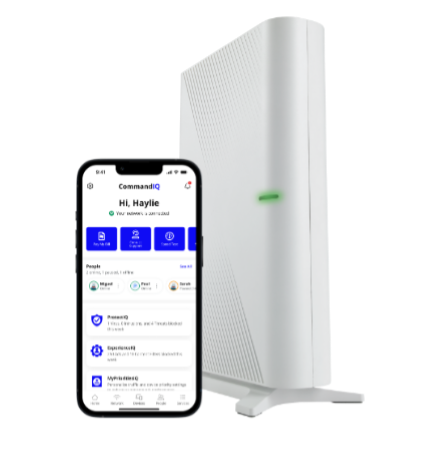
Mesh Wi-Fi & Outdoor Mesh
Learn how to install, connect, position, and manage mesh Wi-Fi devices throughout your home and outdoor spaces.
Guide Section:
Mesh Wi-Fi & Outdoor Mesh
Page 14 >>

Home Phone
Access guides and quick-reference resources for your Aptitude Internet Home Phone service, including voicemail, calling features, call forwarding, and commonly used star codes.
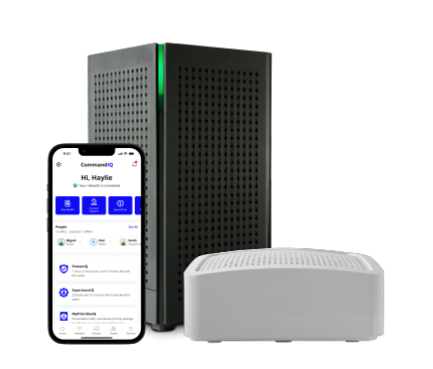
Which Features Work With My Equipment?
Aptitude Internet customers may have different router and mesh equipment depending on their service and installation. Some features shown in guides and videos may also depend on your internet package and subscribed services.

Before You Dig
Installing a fence, landscaping, irrigation system, mailbox, or other project that involves digging? Learn when to contact 811 and request an Aptitude Internet locate before work begins.
Equipment Models You May Hear Us Reference
App Features Availability
Some features shown in guides and videos may depend on:
- Your equipment model
- Your internet package
- Optional services you subscribe to
- Your app version
ProtectIQ Network Security is included with all Aptitude Internet packages.
ExperienceIQ Family Controls are included with the Premium Package and available as an optional add-on for qualifying packages.
Note: Some screenshots, videos, and vendor documentation may look slightly different depending on your equipment model, firmware version, or app version.
Still Need Help?
Whether you have a question about your service, need help troubleshooting an issue, or want to speak with our team, we're here to help.